How enrollment works
Longhorn operational texts are available to invited contractors and office personnel. Enrollment happens in your authenticated account, where your contact details and messaging choice can be saved securely.
- Accept your office-issued invitation and sign in to your Longhorn account.
- Contractors open My account; office personnel open Settings → My account. Find Contact details & messaging.
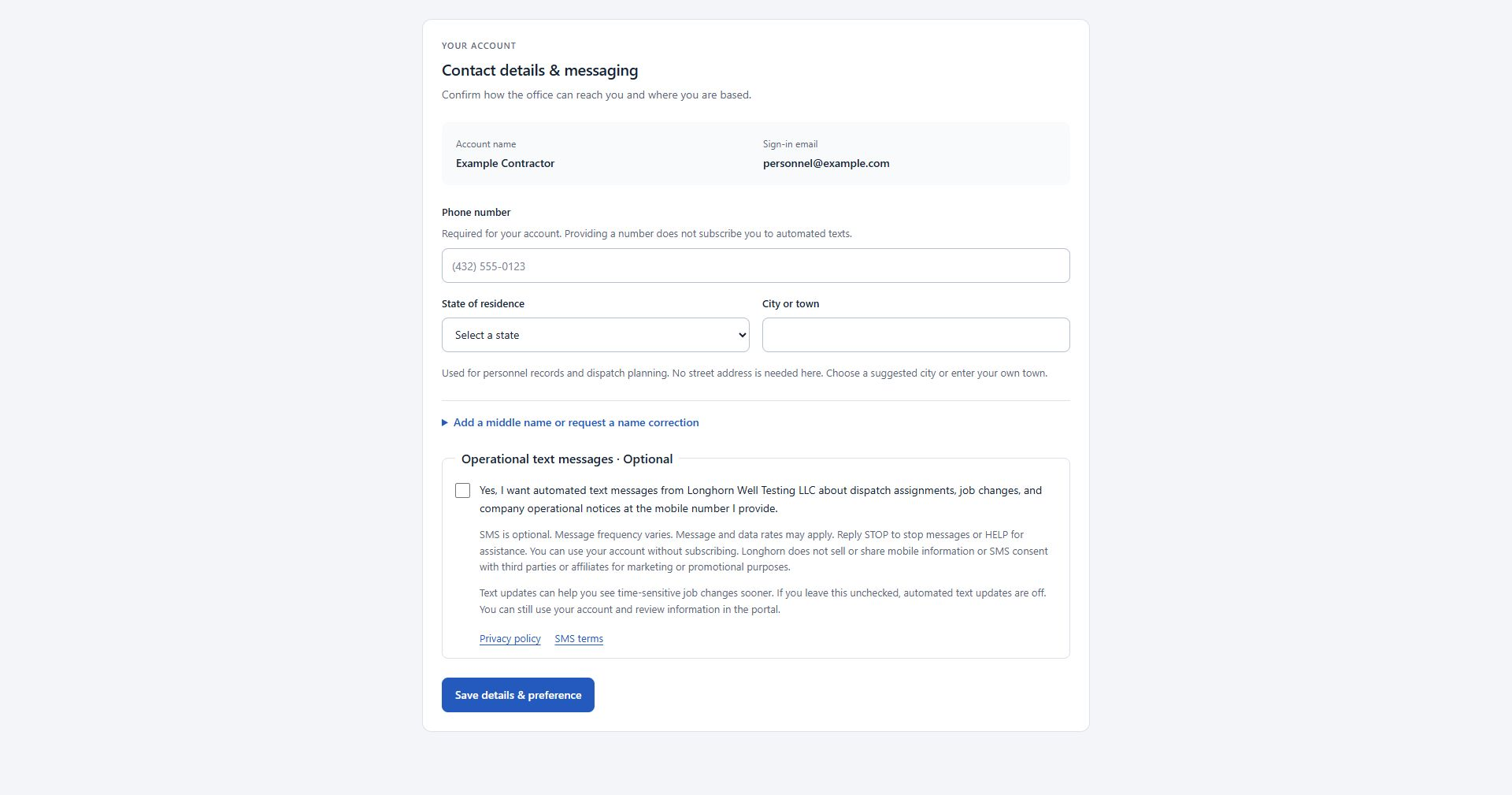
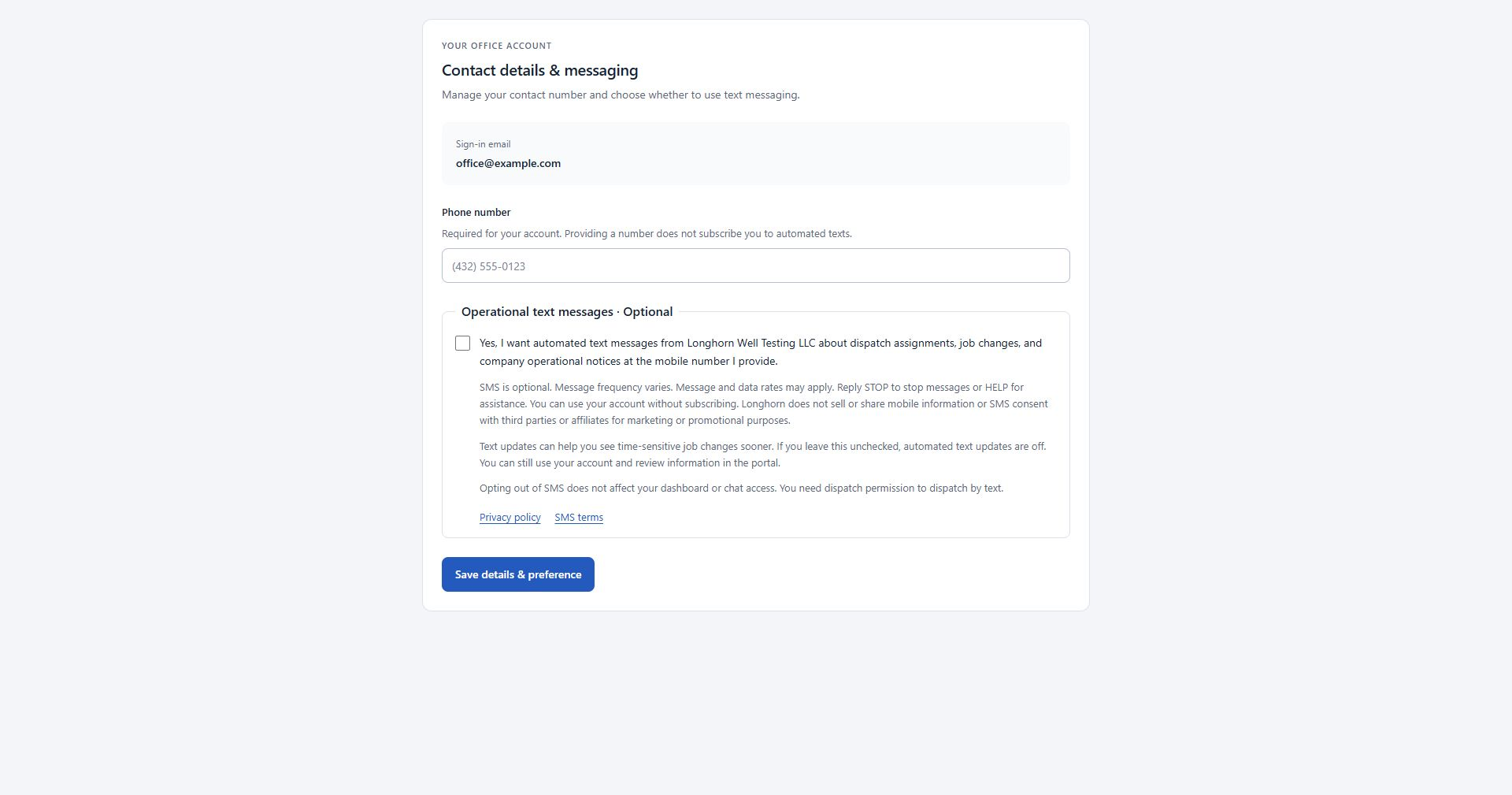
- Enter your phone number. Providing a number does not subscribe you to automated texts.
- Read the separate Operational text messages · Optional section and its privacy policy and SMS terms. For a new choice, the checkbox starts unchecked.
- Check the box only if you want these texts, then select Save details & preference. You may also save with the checkbox unchecked and continue using the portal.
During initial contractor setup, the same contact and messaging form is shown before the next account-setup step. A saved choice records the phone number, disclosure version and time of that choice.
Text updates can help you stay informed between portal visits. If you leave this unchecked, you will not receive these updates by text. Check the portal and coordinate with the office for updates.
You can save the form with SMS off and keep using the portal. For office personnel, SMS dispatch and its text responses require SMS participation.
The choice shown in your account
This is a public preview of the disclosure. It does not collect a phone number or record consent. Your actual choice is saved only in your authenticated account.
Disclosure version longhorn-operational-sms-2026-09-06-v1
Account form examples
These screenshots show the actual account form with example details to protect personnel privacy. They include the phone field, the unchecked optional SMS choice, the full disclosure, policy links and the save button. They are images, not enrollment forms; save your choice in your signed-in account.
Change your choice
Use your portal messaging preference, reply STOP to withdraw consent, or contact tyler@longhornwelltesting.com. A phone number change requires a fresh choice for that number.
After a STOP request, send START or UNSTOP to the same Longhorn number to remove the provider block. Your portal SMS preference must also be opted in. See the SMS terms for details.
Personnel messaging preferences · Office messaging preferences
If asked to sign in, choose My account after signing in to manage Contact details & messaging.